Collaborate on Real Estate Brochures
Coordinate seamlessly with your real estate team on professional brochures using Issuu's dedicated collaboration workspace where agents, property managers, and marketing coordinators can work together on property showcases. Set role-based permissions that allow team members to contribute content while maintaining quality control through structured review and approval processes for all brochure materials. Your real estate brochure PDFs convert automatically into engaging flipbooks featuring embedded property videos, virtual tour links, and interactive neighborhood maps that help prospects visualize their potential investment.
Convert your Real Estate Brochure now
 Drag & Drop
Popular Real Estate Brochures







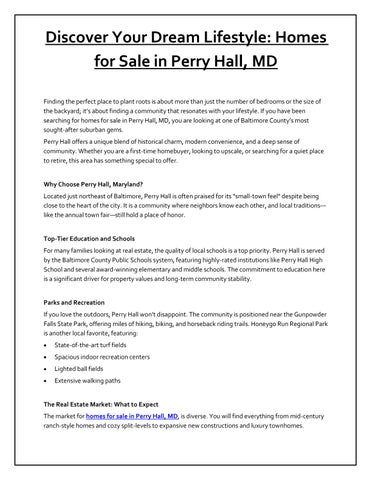 Discover Your Dream Lifestyle: Homes for Sale in Perry Hall, MD
Real Estate Brochure
Samson properties


Frequently asked questions
Here's a quick list of commonly asked questions about Issuu
How can multiple real estate team members work on the same brochure project?
Issuu's team workspace allows you to invite agents, brokers, and marketing staff to collaborate on brochure projects with specific role-based permissions. You can control who can upload, edit, publish, or simply view brochures while maintaining a shared library of all your real estate publications. The platform includes approval workflows so designated team members can review brochures before they go live to prospects.
Can we control what each team member can do with our real estate brochures?
Yes, Issuu offers role-based permissions that let you assign different access levels to team members based on their responsibilities. You can give some team members full editing rights while restricting others to viewing only, or create custom permission levels for different roles like agents, marketing coordinators, or brokers. This ensures your brochure content maintains professional standards while enabling productive collaboration.
How do we track which team members' brochures perform best with prospects?
Issuu's analytics dashboard provides detailed insights into reader engagement for each brochure, including view counts, time spent on pages, and geographic data of viewers. Your team can see which property brochures generate the most interest and longest reading times. This data helps identify which team members are creating the most effective marketing materials and which properties resonate most with potential buyers.
Can our real estate team share brochures directly from the platform?
Absolutely - once your team creates brochures on Issuu, they can be shared through direct URLs, embedded on your agency website with simple copy-paste codes, or distributed via social media and email campaigns. You can also generate QR codes for property signs that link directly to digital brochures. All sharing options work seamlessly regardless of which team member originally created the brochure.